Skip to content
Field notes / For clients

Too many fitness apps? How to choose the one you’ll keep

The fitness app market is crowded. Compare meal logging, AI calorie estimates, widgets and real coaching to choose an app you will actually keep using.

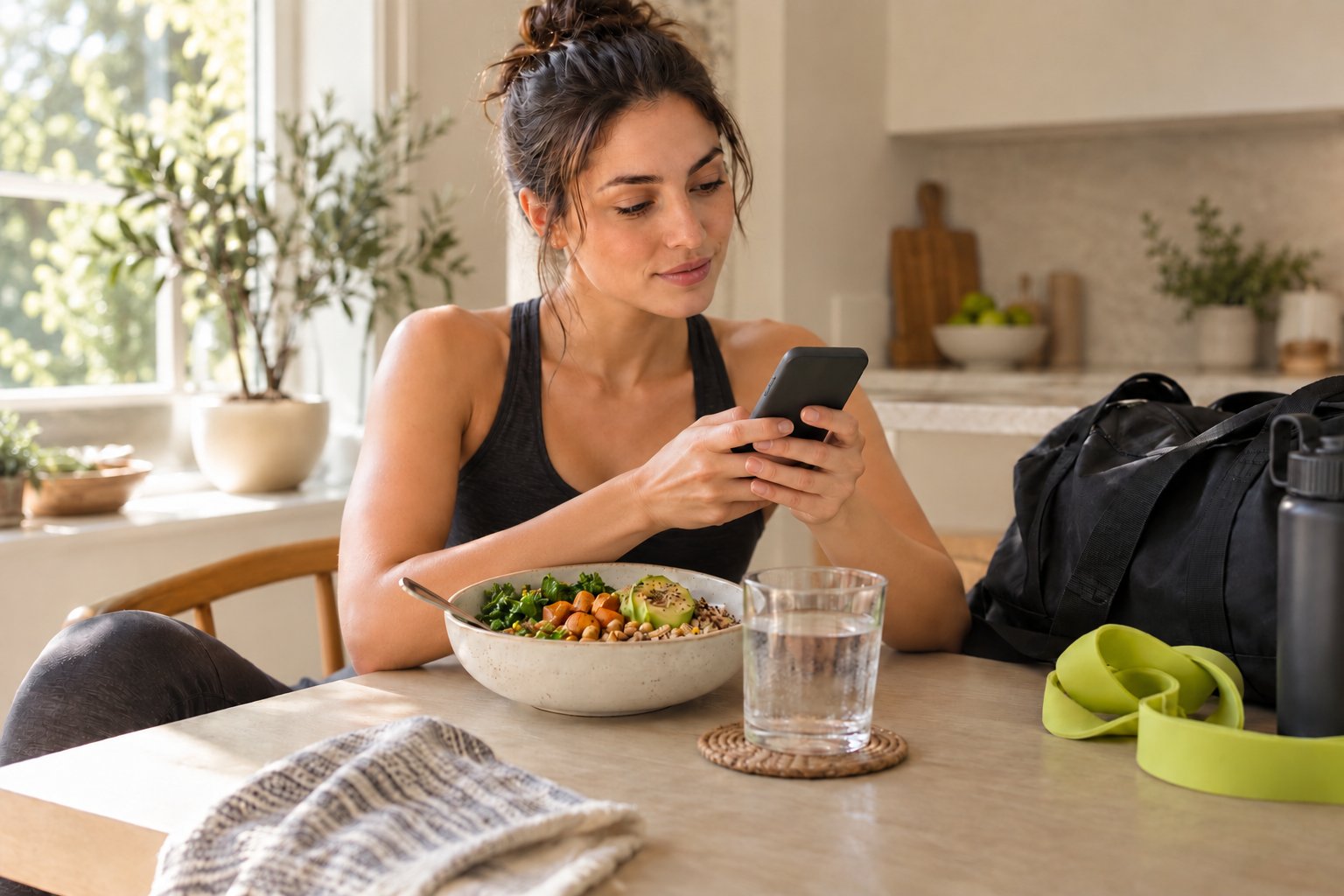
Illustrative woman checking her phone beside a post-workout lunch bowl and gym bag at a kitchen table
Before you download

Three checks for any fitness app.

  1. Log a real day
  2. Check the estimate
  3. Find real guidance
Fitness app check2/3
LoggingFast enough to keep?
AI estimateCan you edit it?
GuidanceIs there a real person?
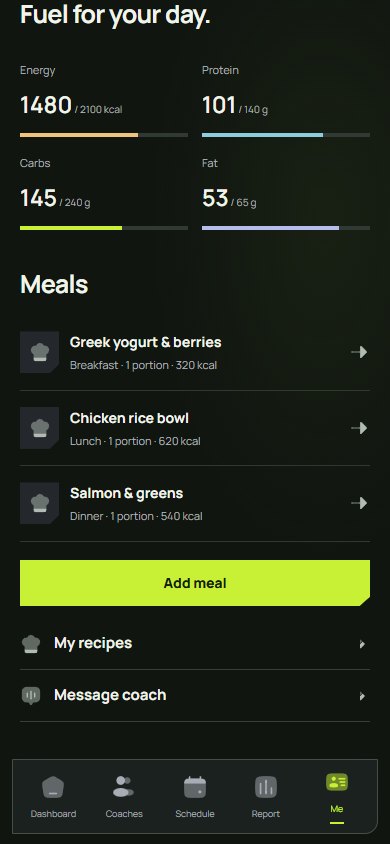
The Nutrition tab with calorie and macro totals and logged meals.
Short answerChoose a fitness app by the job you need done, then test it for a day: fast food logging (search, barcode, label or photo), one record for training, meals, sleep and steps, sync with your watch, widgets for quick logging, and — if you want guidance — access to a real, verified coach rather than automated tips.

A crowded market, a familiar problem

Search an app store for fitness and you will find calorie counters, workout logs, step trackers, habit apps and coaching platforms, many promising the same thing in slightly different colours. Most do one job well and leave the rest to another download. It is easy to end up with a food app, a training app and a habit app, and a consistent routine in none of them.

Put it into practiceCount the apps you use today for food, training and daily habits. If the answer is more than one, ask how often you actually open each of them, and which one you would miss.

Start with the job you need done

Before comparing features, decide what you want the app to do for you. Some people need a quick way to record meals. Others want structured workouts, a record of their sleep and water, or someone who notices when the week goes off track. A feature list is only useful once you know which of those jobs matters most.

Put it into practiceWrite down your three must-haves before downloading anything. Use them to rule apps out quickly instead of being drawn in by the longest feature list.

Food logging has to be fast

Meal tracking is where most routines quietly stop. If every entry means typing ingredients one by one, the habit rarely survives a busy week. Look for several ways in: searching a food database, scanning a barcode or nutrition label, reusing recipes, and estimating a meal from a photo or a short description. An estimate is only useful if you can check it and correct it before it is saved.

Add meal
RecipesCustom entry
Add with camera or AIScan a package, or let AI estimate your meal.
Scan barcodePackaged food, matched in the database
Scan nutrition labelReads the values per serving
Photo estimate (AI)Snap your plate
Describe meal (AI)Type what you ate
Six ways inAdd meal in Coachtrax: recipes, food search or a custom entry, plus one camera button for a barcode, a nutrition label or an AI estimate.Illustrative sample data.
Put it into practiceDuring a trial, log one real day of meals, including the snack you would normally forget. Notice how long it takes and whether you would do it again tomorrow.

One record beats three apps

Training, food, water, sleep and steps tell you more together than apart. A missed workout makes more sense next to a short night’s sleep, and a hungry afternoon may connect to a skipped lunch. When those records sit in separate apps, the pattern is harder to see and harder to discuss with anyone helping you.
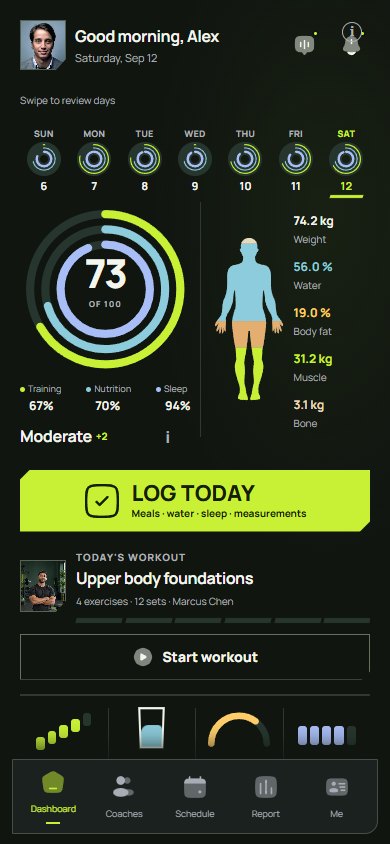
The Coachtrax dashboard scores training, nutrition and sleep together, next to body composition, today’s workout and the day’s meters.
One recordThe Coachtrax dashboard scores training, nutrition and sleep together, next to body composition, today’s workout and the day’s meters.
  • Training, nutrition and sleep rings
  • Body composition beside them
  • Today’s workout, one tap away
Illustrative sample data.
Put it into practiceCheck which watch or health platform the app syncs with, and whether workouts, meals and daily habits appear in the same history rather than in separate corners.

Make it fit your day, not just your phone

The best app is the one you can use in a few seconds. Logging a glass of water or checking how many calories are left should not mean opening several screens. Home-screen widgets, one-tap logging and a clear view of today’s plan keep the routine in front of you without asking for more of your time.

Put it into practiceIf you have to open the app for everything, you will open it less. Look for widgets and shortcuts that cover the two or three things you check most often.

Decide whether you want an app or a person

An app can count calories, track sets and draw a graph. It cannot ask why last week was difficult or change your plan around a new job. If you want that kind of guidance, look for real coaching with a person you can identify, rather than generic tips presented as personal advice. Check how you find a coach, how sessions are booked and how you stay in touch between them.
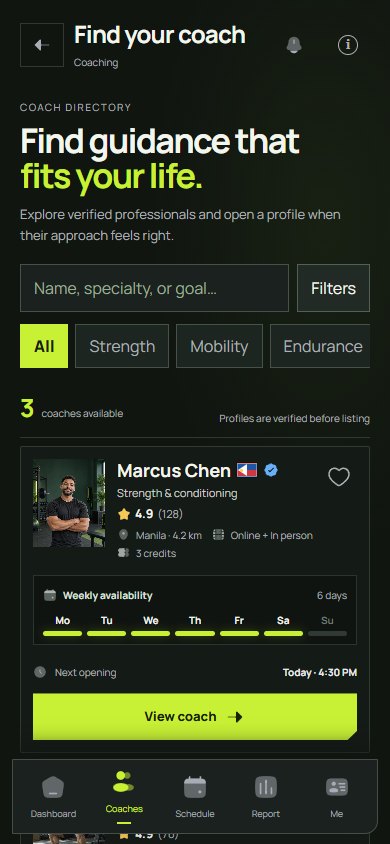
The coach directory lists human coaches who are verified before they appear, with specialisms, ratings and weekly availability.
A real personThe coach directory lists human coaches who are verified before they appear, with specialisms, ratings and weekly availability.
  • Filter by specialism or goal
  • Compare ratings and formats
  • See the next opening, then book
Illustrative sample data.
Put it into practiceAsk exactly what support is included: who reviews your records, how often, and how you contact them. A named, verified coach is a different service from an automated message.

Coachtrax: logging that keeps up with you

Coachtrax brings the record together in one app. Log meals from your recipes, a custom entry, the food search, a barcode or a nutrition label. In a hurry? Snap a photo of your plate or describe the meal, and the AI calorie estimate breaks it into items with calories, protein, carbs and fat. You can adjust any item before saving. Workouts, water, sleep and measurements sit alongside, and steps, sleep and activity can sync from Apple Health, Health Connect, Samsung Health or Strava.

Quinoa bowl with roasted sweet potato, half an avocado and a drizzle of tahini

Estimate macros
AI estimateFrom your description · check before saving
Try again
Quinoa, cooked
1 cup (185 g)
Kcal222
P8.1
C39.4
F3.6
Roasted sweet potato
120 g
Kcal136
P2.3
C24.5
F3.4
Avocado
½ medium (68 g)
Kcal109
P1.4
C5.8
F10
Tahini dressingLow confidence
1 tbsp (15 g)
Kcal89
P2.6
C3.2
F8.1
Estimated total
556 kcalP14.4 · C72.9 · F25.1
AI calorie estimateDescribe the meal or photograph it, and the estimate splits it into items. Every name, portion and macro can be corrected or removed before you add it.Illustrative sample data.
Put it into practiceTry the photo estimate on your next meal, adjust the portion if needed and save it. Then look at the day as a whole: food, training and habits in one history.

Coachtrax: a glance, or a real coach

Home-screen and Lock Screen widgets keep the day visible without opening the app: Fuel & Macros shows the calories and macros left, Log Today records a workout, meal, water or sleep in one tap, Today’s Plan lines up your meals, workout and sessions, and Daily Meters tracks steps, water and energy. When you want real guidance, browse the coach directory, compare verified human coaches, book sessions and message your coach in the same app where your records already live.

Without opening the appFuel & Macros, Log Today and Daily Meters on a home screen. The same widgets are available on iPhone and Android.Illustrative sample data.
Put it into practiceStart tracking on your own with no client subscription fee. When you want a person in your corner, explore coaches and check what each paid package includes before you begin.

Questions answered

What is the best app to track workouts and calories together?

Look for one app that logs both training and food in the same history and syncs your watch. Coachtrax combines workout logging, calorie and macro tracking, habits and Apple Health, Health Connect, Samsung Health or Strava sync, with an optional human coach.

Is there a fitness app with real coaches instead of AI?

Yes. Coachtrax pairs its tracker with a directory of human fitness coaches who submit ID and certifications before appearing in search. You can book sessions and message your coach in the same app.
Your next move

A little more structure.
A real person in your corner.

Start tracking your routine. Find guidance when you want it.

Get the Coachtrax app Understand pricing first